SeaArt - V2.3.3.1 Update
Dear SeaArt.AI User,
This update introduces several new video and image generation models, and adds practical new features for Character Videos, AI Character Creation, and more. The full details are as follows:
✨ New Models Launched ✨
1. Video Model: Wan 2.6
▪ Model Features:
▪ Multimodal generation: supports text-to-video, image-to-video, and text-to-image, covering diverse content creation needs.
▪ Multi-camera storytelling: delivers excellent multi-camera narrative capability with seamless scene transitions and coherent storytelling.
Reference Image / Reference Video | Prompt | Work Display |
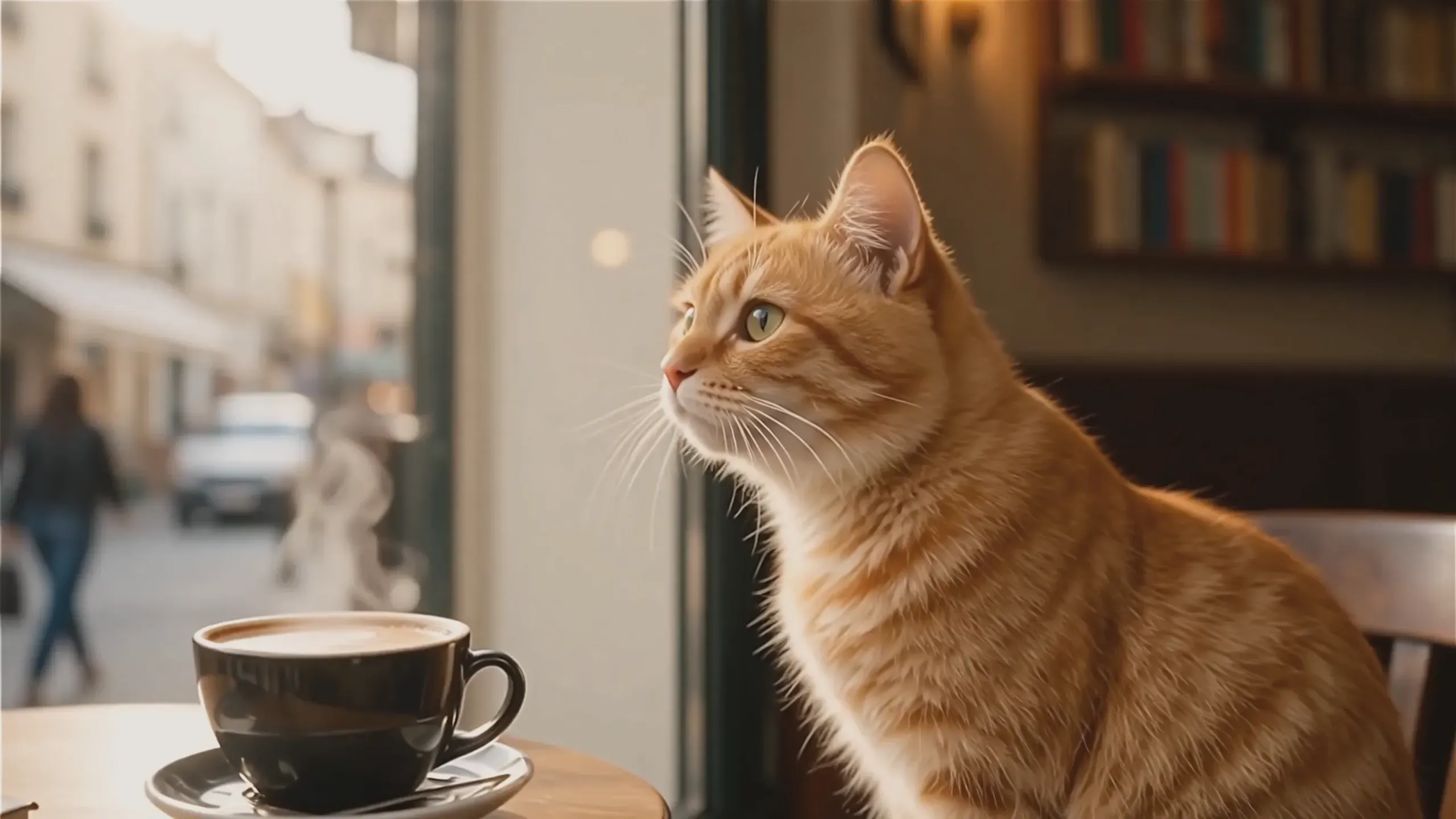 | A ginger cat sat by the café window, gazing out. The scene shifted to the street as the cat stood up, left the café, and continued walking under the sunlight. It passed by a bookstore and a flower shop before finally stopping to admire a street mural. The movements and emotions were coherent, and the scene transitions were smooth. |  |
/ | In the morning of the city, the alarm clock rings and the camera moves from the bedroom to the kitchen. The male protagonist brushes his teeth and makes coffee, then switches to the office where he has a meeting with colleagues. The camera then switches to the dusk subway station, where the male protagonist wearily rides home, and the story naturally connects. |  |
 | Husky drove an old-fashioned Jeep slowly out of the city road, with glass high-rise buildings and urban neon lights behind. The road ahead gradually transformed into a desolate desert, with small sand dunes undulating and the air fresh and transparent. Mist and thin clouds appeared on the horizon. |  |
▪ 🔗Model Link: https://www.seaart.ai/detailPages/modelView/d4t6pkle878c73cpsif0
2. Video Model: Kling O1
▪ Model Features:
▪ Streamlined video editing: easily add or remove content, switch styles and camera shots, with simple, intuitive controls.
▪ Flexible clip length: supports custom durations from 3 to 10 seconds.
Original Video | Reference Image | Prompt | Edited Video |
 |  | Replace the hat of the kitten in the video with the one in the picture |  |
 | \ | Transform the sky into blue sky and white clouds |  |
▪ 🔗Model Link: https://www.seaart.ai/detailPages/modelView/d4t62c5e878c73ek6s50
🌊 Feature Updates and Optimizations 🎨
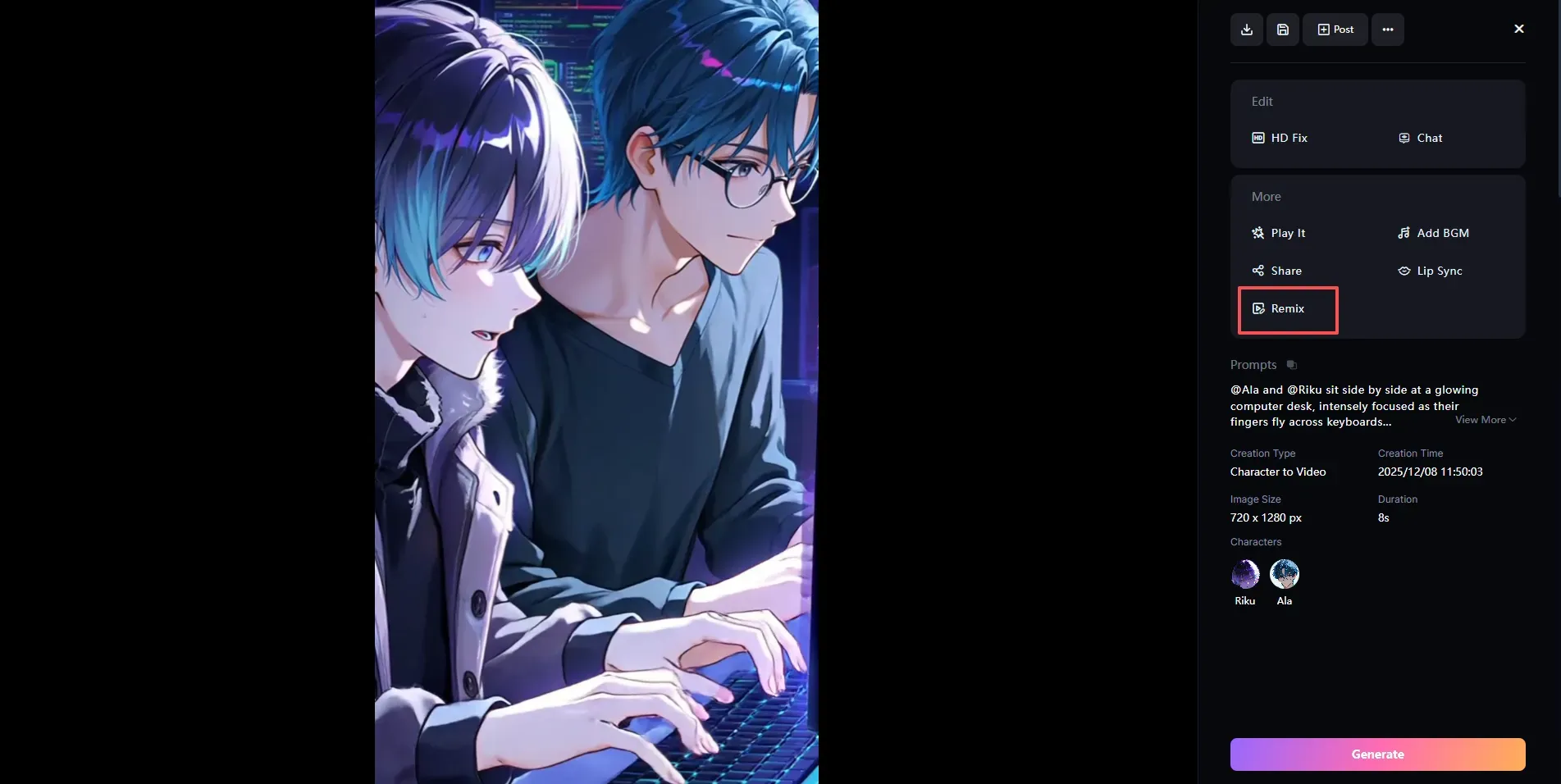
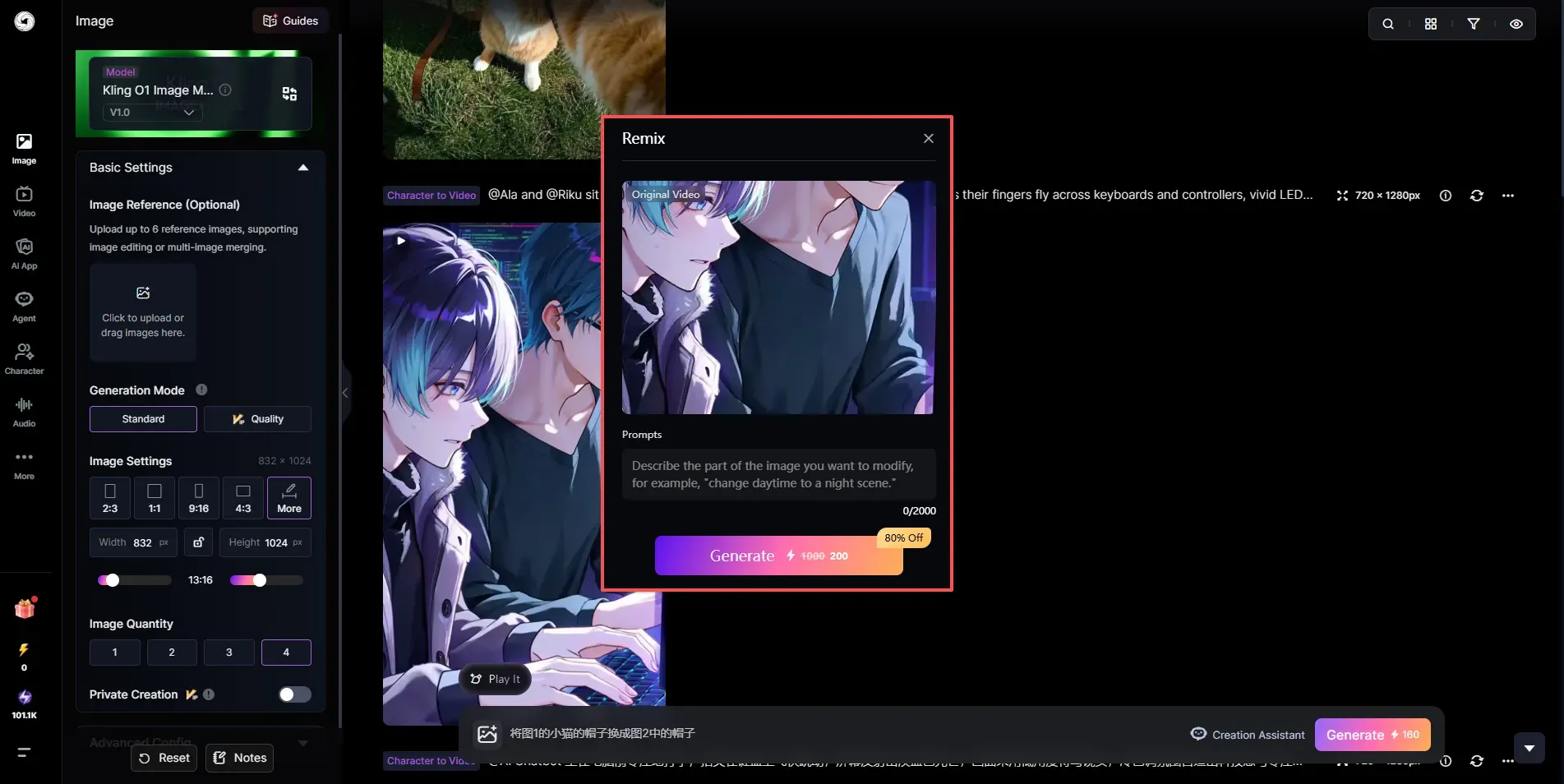
1. Added the Remix Feature for Character Videos
▪ The content of an existing video can be reused, and more creative effects can be unlocked simply by adjusting the prompts.
▪ Videos associated with deleted characters cannot be used for remix.
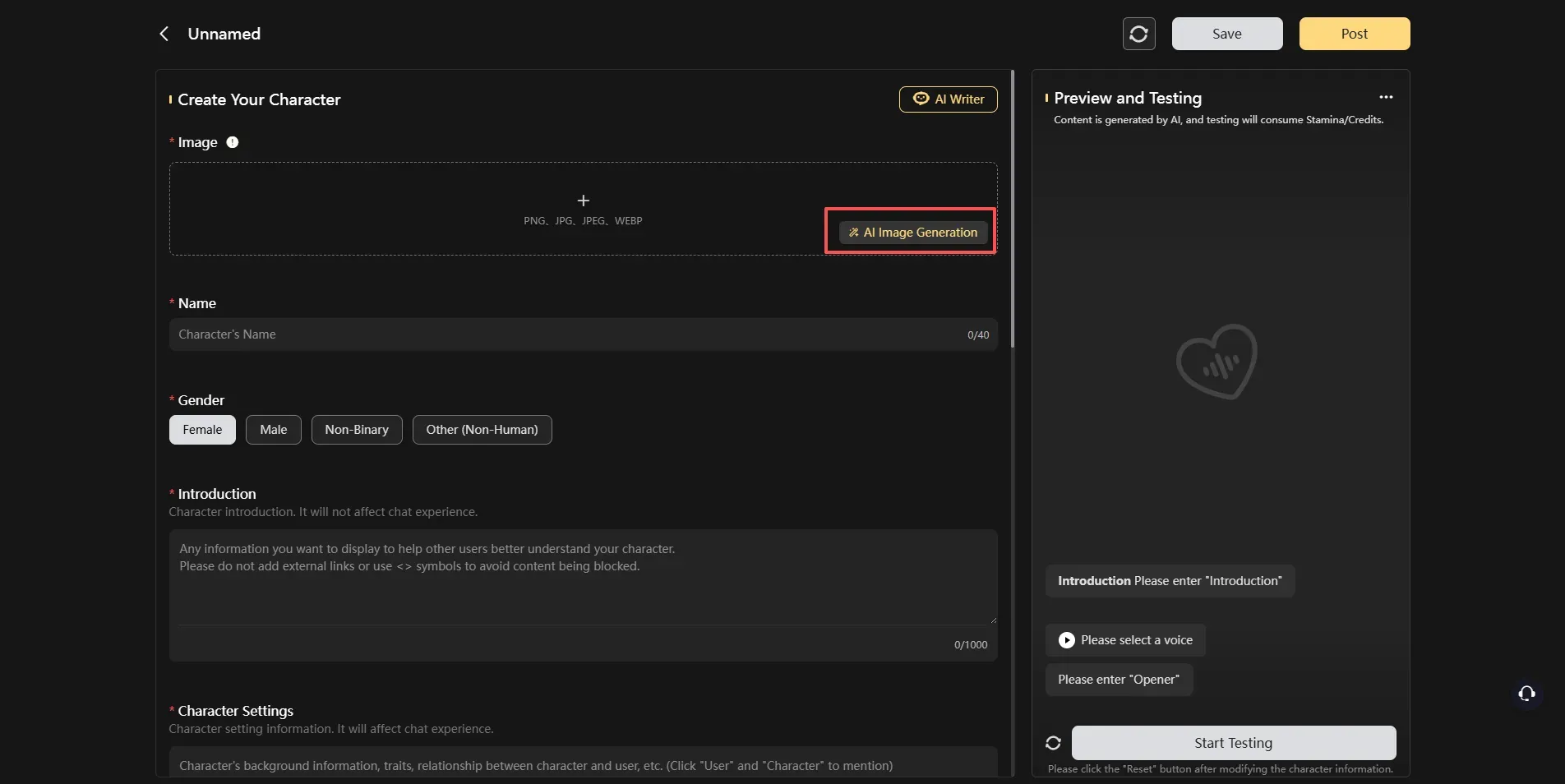
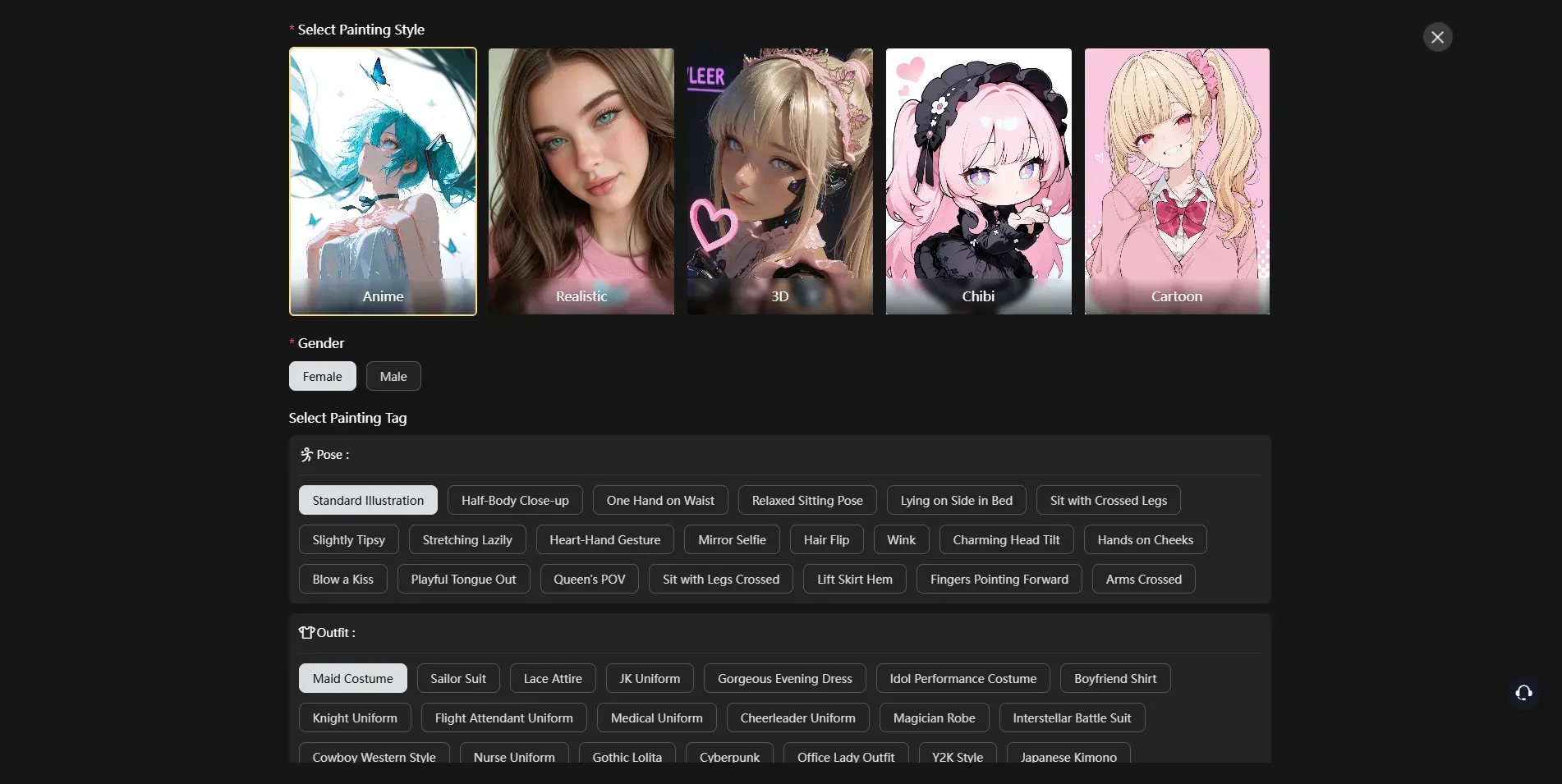
2. Added AI Image Generation to AI Character Creation
▪ You can select art styles (anime, realistic, 3D, chibi, cartoon) and gender, and customize poses, outfits, and character appearance.
▪ The system generates four images, from which one can be selected as the AI character avatar.
3. Print & Deliver Service Optimizations
▪ Regional restrictions have been relaxed, and 21 new purchasable regions have been added to Address Management.
💻 Updates for PC Web Only 💻
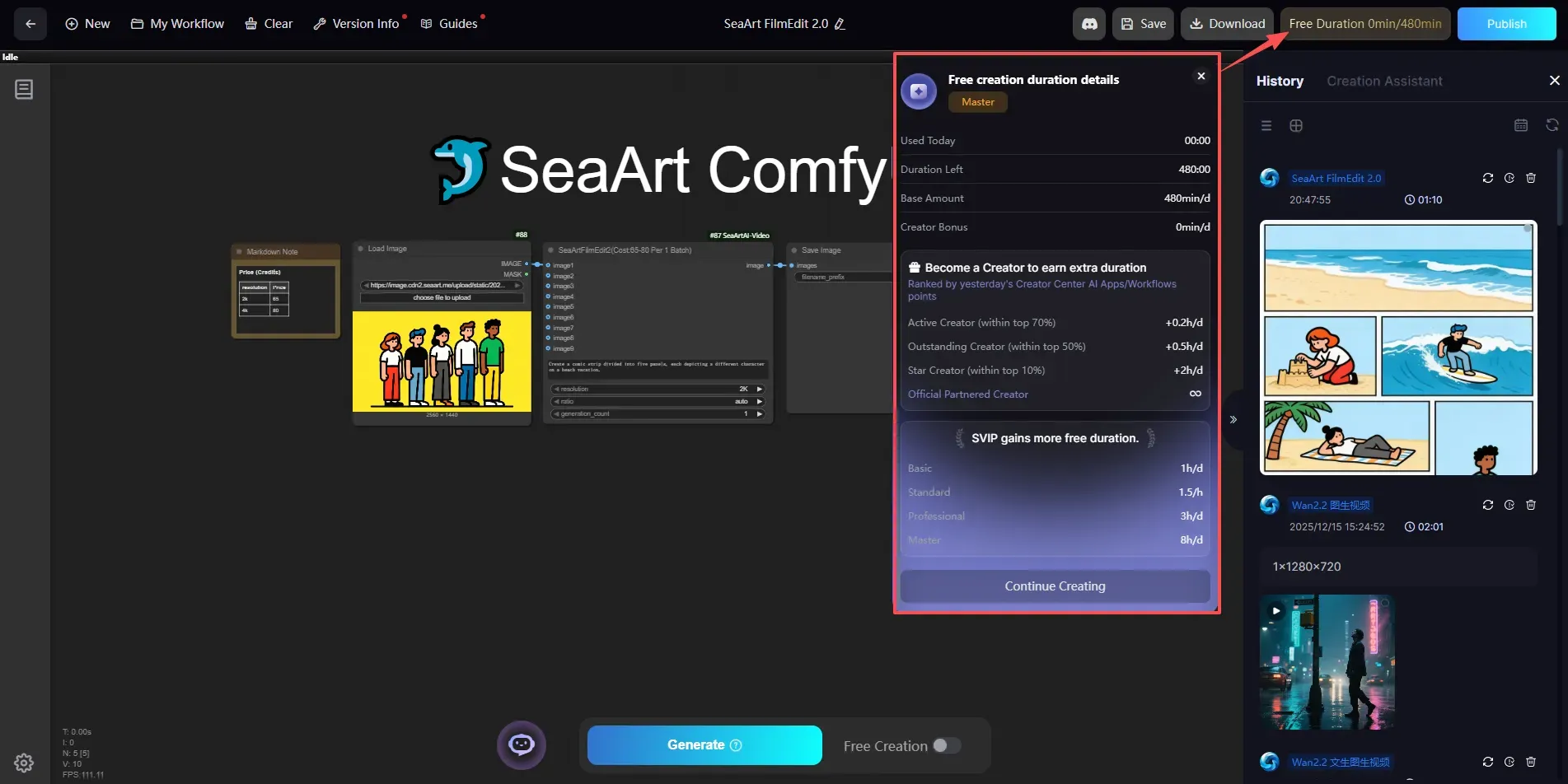
1. ComfyUI Free Creation Rules Adjustment
▪ The restriction on free long tasks has been removed.
▪ A daily free creation duration limit has been added; the remaining duration can be viewed in the top-right corner of the screen.
▪ Creators can obtain additional free duration based on their ranking in the Points leaderboard.
2. Creation Assistant Optimizations
▪ Works in the creation flow can now be dragged directly into the image upload area.
3. Model Training Optimizations
▪ When the optimizer is set to DAdaptation or DAdaptAdam, the default learning rate is 1, and the learning rate scheduler is set to constant by default.
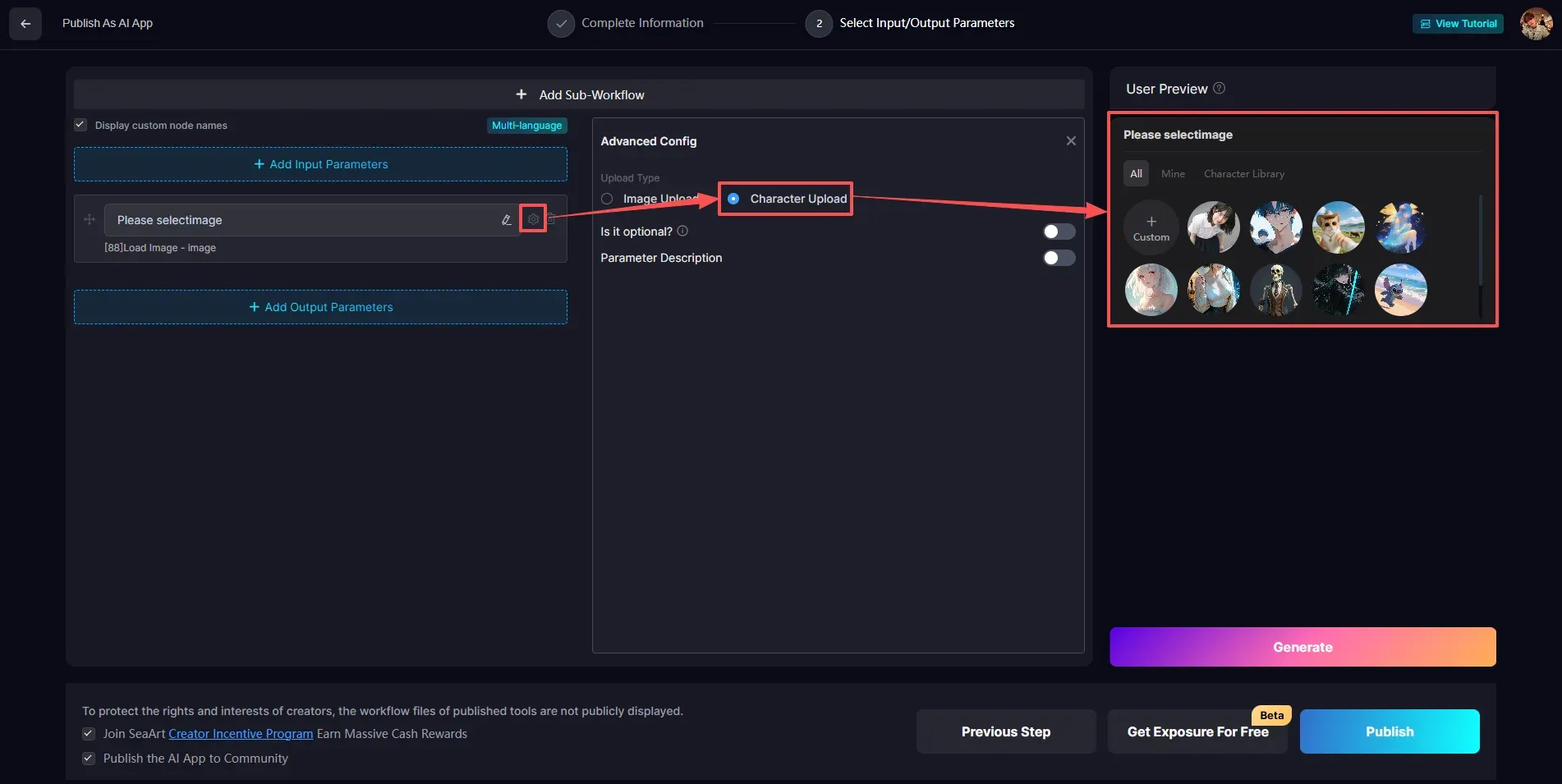
4. AI App Publishing Optimizations
▪ Supports setting the image input parameter to "Character Upload."
5. Agent Optimizations
▪ Agent work now supports re-editing, including creating videos, editing images, generating variations, and more.
▪ A new info icon has been added; tap it to view the Message ID, creation time, and cost details.
🔧 Bug Fixes 🔧
1. Restored the display of the Inspiration's Explore section.
2. Fixed an issue where posted works could not be viewed by others.
3. Fixed an issue where non-English languages would automatically switch to English.
4. Fixed an issue where multi-image posts could not be swiped through on the mobile version.
5. Fixed an issue where works and posted images could not be fully viewed on the mobile version.
6. Fixed an issue where notifications were not received when others replied to your comments.
We invite you to experience these updates! If you have any suggestions or feedback, please don't hesitate to contact us through the Discord community or our customer support system. Thank you for your continued support!
SeaArt.AI Team