SeaArt - V2.3.2.1 Update
Dear SeaArt.AI User,
This update brings a series of practical new features and experience improvements, such as image upload support in Creation Assistant and @-mentions in the CharacterLibrary. Meanwhile, we have optimized our platform’s risk control strategy to provide everyone with a smoother browsing and creation experience.
Details are as follows:
🌊 Feature Updates and Optimizations 🎨
1. Character Library Optimizations
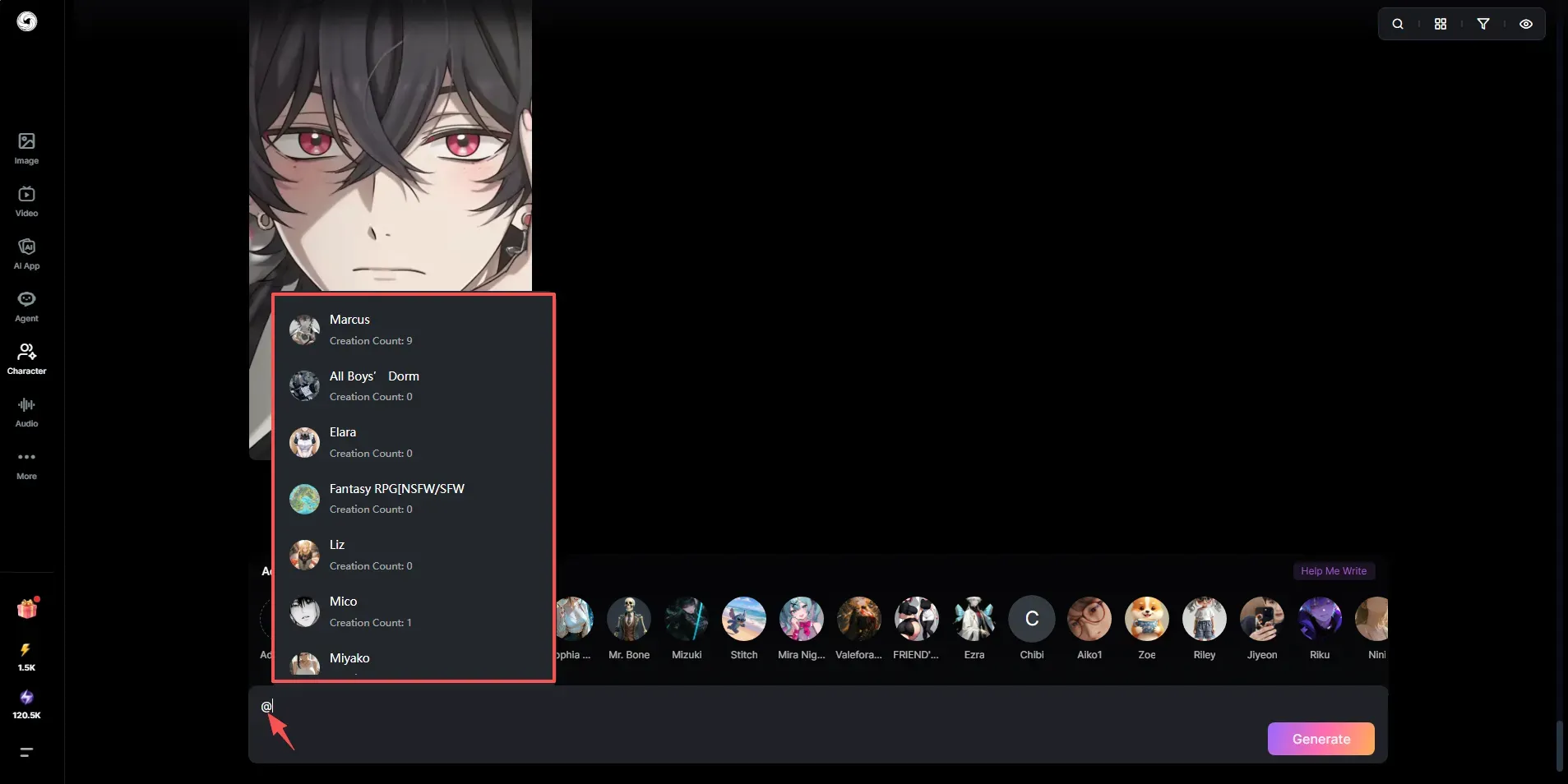
▪ @-mention is now supported, allowing you to directly reference public characters.
2. AI Character Optimizations
▪ The Unlimited Chat Card now uses an auto-renewing subscription.
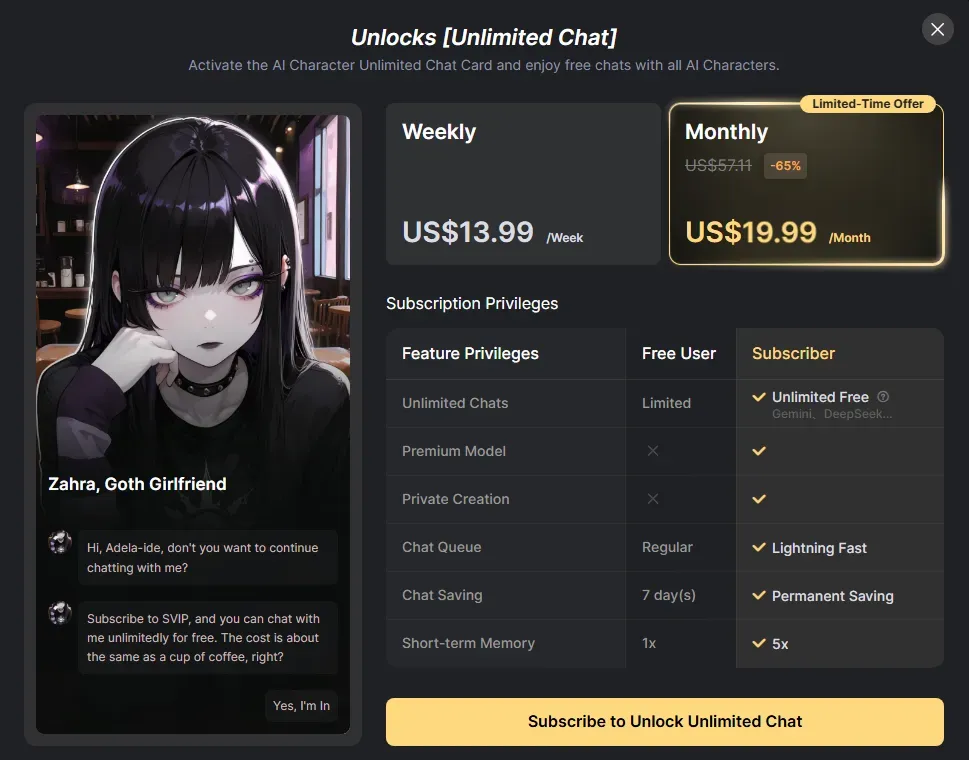
▪ Chat model selection popup label optimized: unlimited chat models are marked as ⚡xx / 💎VIP Free, while VIP models are marked as ⚡xx / 💎Only VIP.
▪ Notifications for AI Characters that fail review will now include the reason (such as sensitive content in images or text).
3. AI Image Generation Optimizations
▪ The Z Image model now supports Negative Prompts and Img2Img.
4. Song Optimizations
▪ Generated songs can now be saved to the "Works" page in your personal center.
5. Swift AI Optimizations
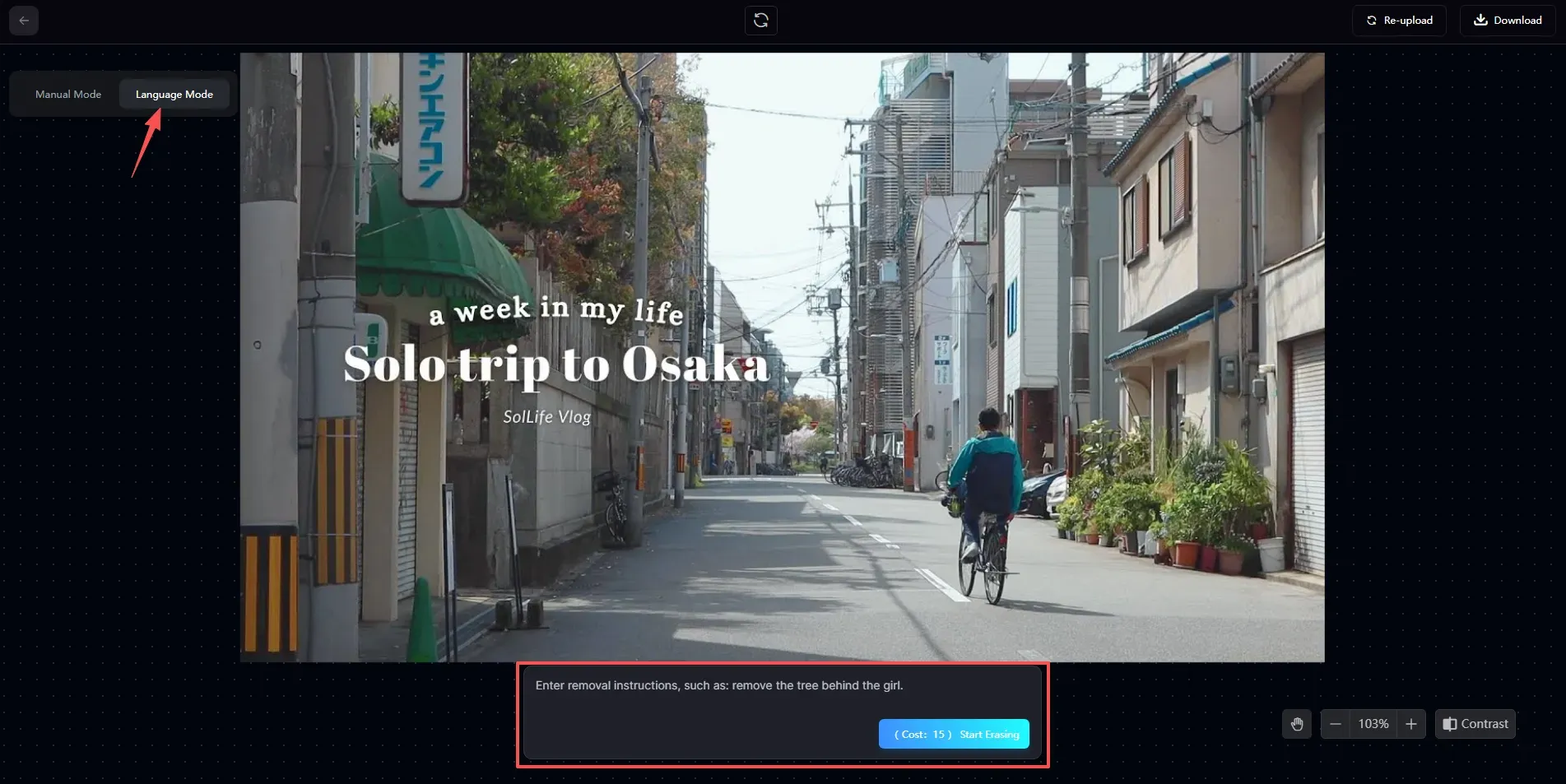
▪ AI Eraser now has a language mode that lets you remove image content via text prompts.
6. Circle Optimizations
▪ Circle posts now support uploading local videos.
💻 Updates for PC Web Only 💻
1. Character Ecosystem Development
▪ Characters now include both characters created in the Character Library and created AI characters.
▪ All characters are now managed centrally under the "AI Character" tab in the personal center.
▪ A character section has been added to the work details page; clicking it will take you to the character details page.
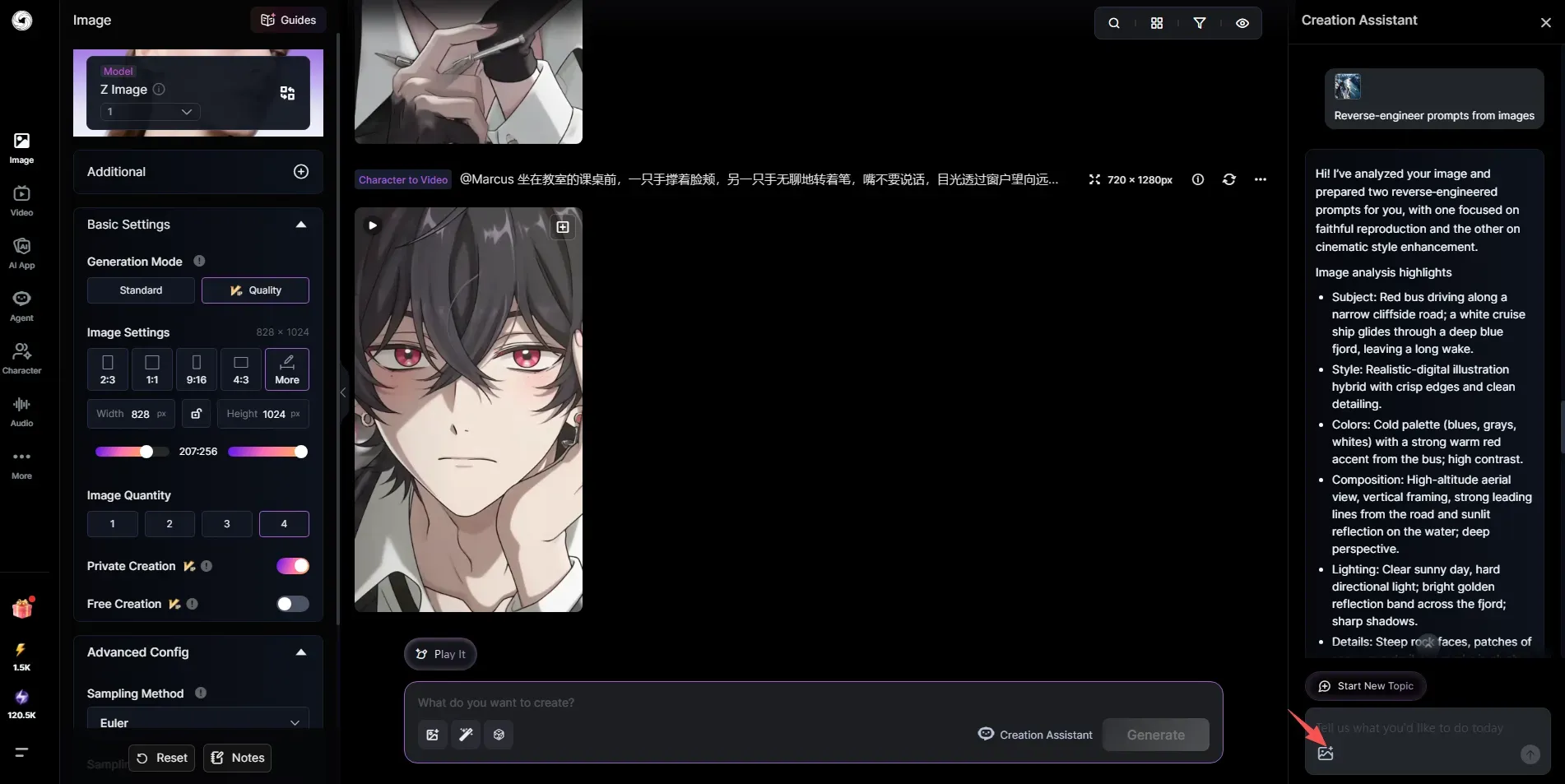
2. Creation Assistant Optimizations
▪ Supports uploading a single image or multiple images.
▪ New features have been added to reverse-engineer prompts and modify images based on the uploaded images.
3. AI Character Optimizations
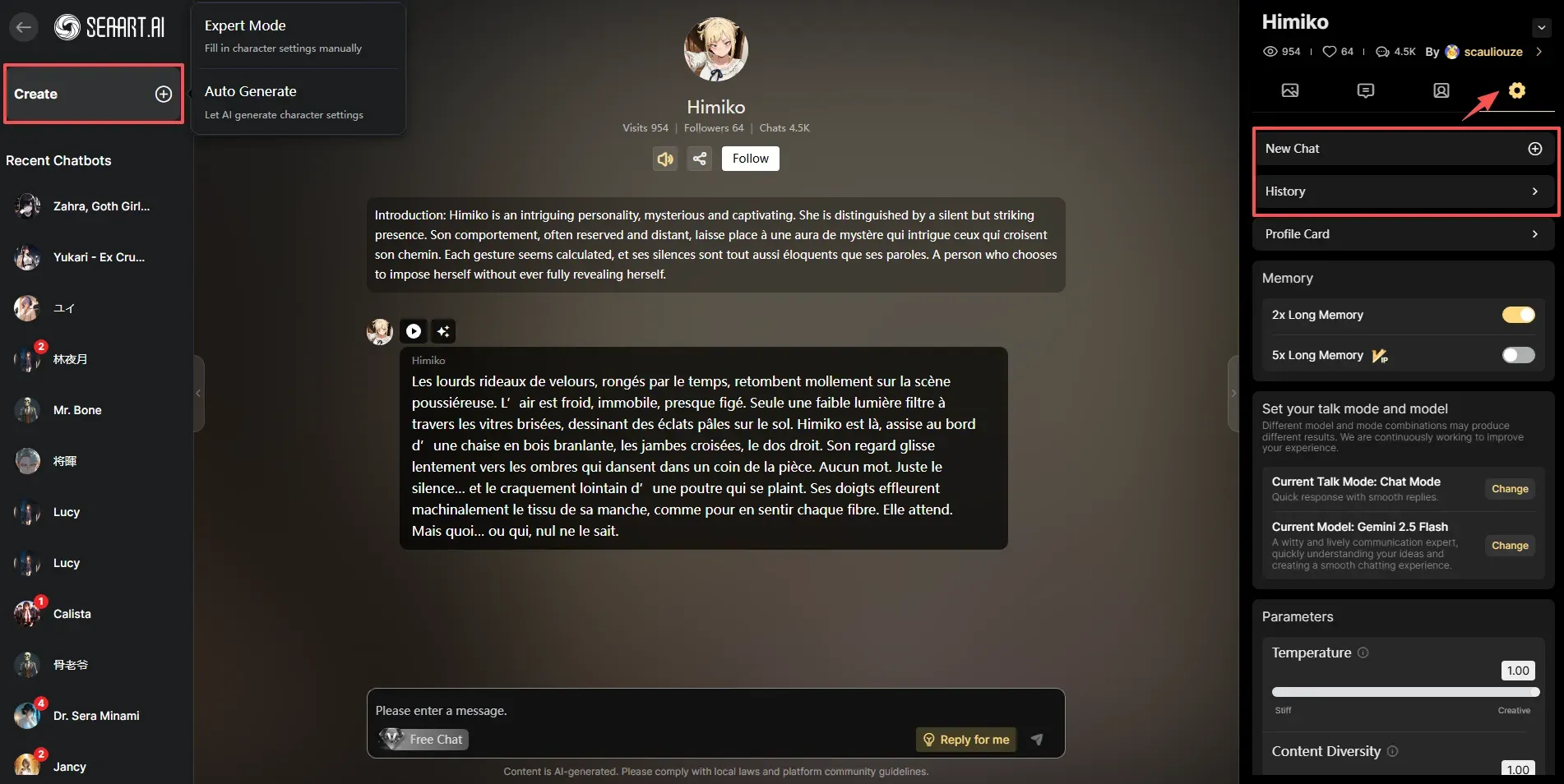
▪ Expert Mode's testing interaction optimized: when creating for the first time, the input box is replaced with a "Start Testing" button.
▪ In the chat interface, the "New Chat" button in the top-right has been changed to "Create AI Character"; under the "Settings" section in the right sidebar, "New Chat" and "History" entries have been added (currently being tested with some users).
📱 Updates for Mobile H5 Only 📱
1. Agent Optimizations
▪ Agent work now supports re-editing, including creating videos, editing images, generating variations, and more.
▪ A new info icon has been added; tap it to view the Message ID, creation time, and cost details.
🔧 Bug Fixes 🔧
1. The search function for workflows and posts on the homepage has been restored.
2. Restored the Explore Related section to the model details page.
3. Restored the Explore section to the homepage and AI Video page.
4. Fixed an issue in AI Image Generation where the seed would remain fixed even when Fixed Seed was turned off.
5. Fixed an issue on mobile version where, during video generation, deleting parts of the prompt or inserting spaces caused the cursor to jump to the end of the prompt.
6. Fixed an issue where uploading audio had no effect when generating video with the SeaArt SonoVision and Sono Lite models.
7. Fixed an abnormal earnings display issue in the Creator Center.
We invite you to experience these updates! If you have any suggestions or feedback, please don't hesitate to contact us through the Discord community or our customer support system. Thank you for your continued support!
SeaArt.AI Team